The landscape of tax compliance in India is evolving with time, and it is vital to stay ahead of the deadlines and accuracy. There are many Chartered Accountants, Tax Professionals, and Corporates who find the process of TDS and TCS a bit complex and time-consuming.
So, what’s the solution?
Yes, EasyTDS, a module of EasyOffice. It is the best TDS return filing software that will simplify the entire filing journey for professionals like you.
This article will provide you with a clear, step-by-step guide to filing your TDS returns with EasyOffice and a comprehensive overview of its features.
What is EasyOFFICE - EasyTDS?
EasyTDS is the TDS and TCS management software and is an integral part of EasyOffice Software. It is designed to offer a one-stop solution for preparing, validating and filing returns online. With the automation tools, a user-friendly interface and seamless portal integration, this software stands out in the market.
Whether you are a CA firm, a tax management firm managing SMEs, EasyOFFICE is the best TDS return filing software to streamline your workflow effortlessly.
Key Benefits of Using EasyOffice
>> Direct online filing to the Income Tax portal
>> Correction and revised return filing
>> Online integration with TRACES, Protean, and ITD
>> Bulk PAN verification for Deductees/Employees
>> Automated calculation of interest and late fees
>> Form 16, 16A and 27D auto-generation
>> Reports for audits and compliance
>> 15G/15H form management
>> Conso File /Justification report requests and analysis
Documents and Details Required Before You Begin
Before filing, make sure you have:
>> TAN details & Deductor Login ID Password of Income tax and Traces login
>> Challan details (with BSR code, challan number, etc.)
>> Deductee information (PAN, amount, date)
>> Correct return type (24Q, 26Q, 27Q, or 27EQ) (if data is imported from excel Sheet, it auto bifurcates the return on basis on Section selection)
>> Digital Signature Certificate (if required)
Step-by-Step Guide to Filing TDS Returns on EasyOffice
Step 1: Install EasyOffice
First & Foremost step is to install the EasyOffice software and enable the EasyTDS module. You can install for just starting at ₹5900* or you can download Trial version for free from here.
Step 2: Create a New Assessee Master and Add Deductor Details
Open the EasyTDS and create a new assessee master by providing the deductor details and all the information mentioned in the software. Add TAN, PAN, address, email ID, mobile number, etc. and verify TAN online directly from the software.
If you have consolidated or text file you can Import Assessee Master
You can also auto collect Profile from ITD Site in a single click (if ID and Password provided)
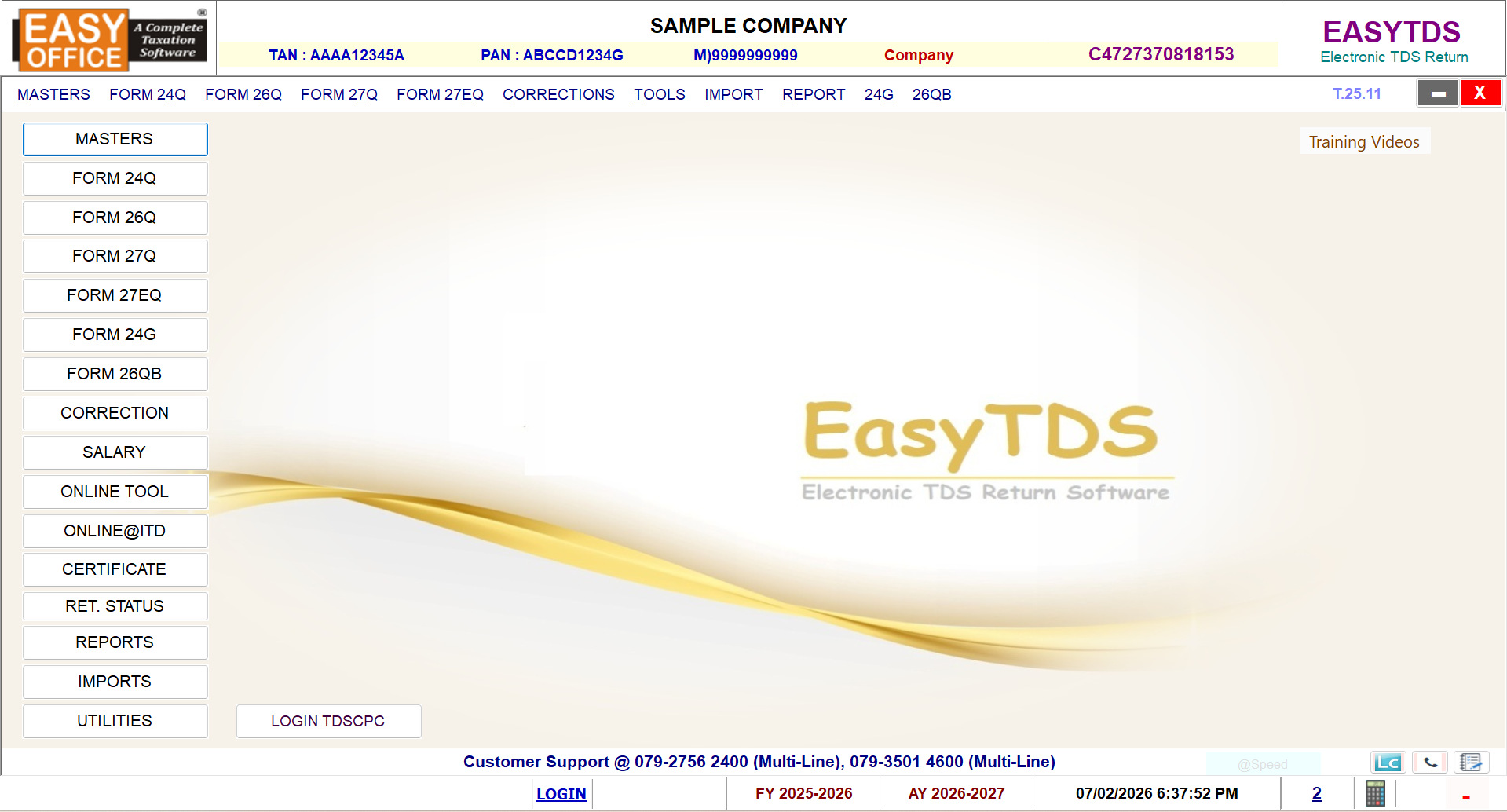
Step 3: Create Deductee or Employee Master
Open the EasyTDS Assessee and create Masters and select correct financial year, Quarter, form type, and TAN. Remember, choose the appropriate filling type ( Regular or Correction).
Step 4: Enter Challan Details
1. Select the Proper Form 24Q/26Q/27Q/27EQ (for Regular return)
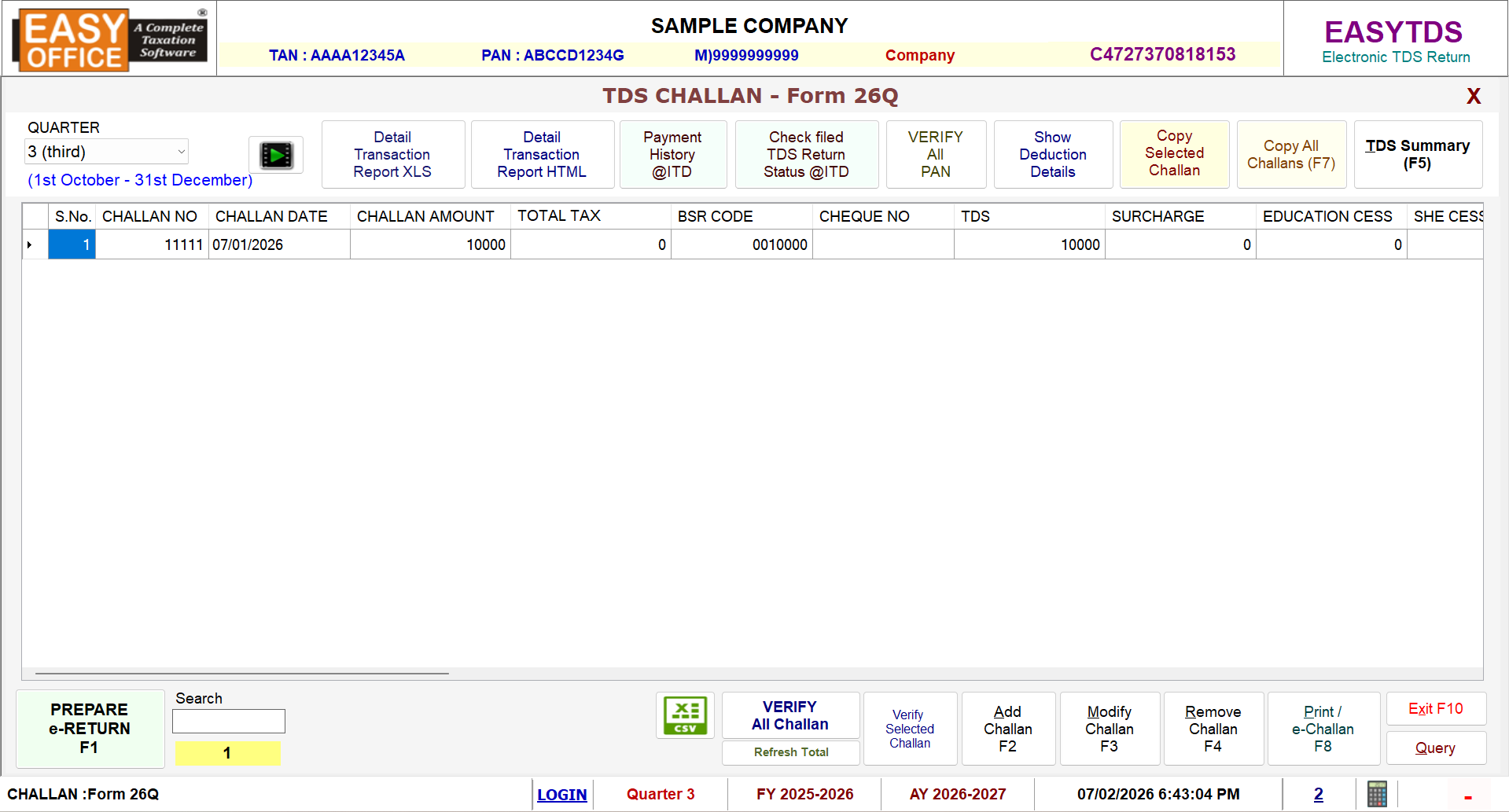
2. Collect all challan from Payment History @ ITD or Enter the Challan Details Manually and Verify All Challan from Portal
3. Or Import Challan and Deductee/Employee detail from Common Excel Sheet
4. Fill up all the challan payment information (if manually) such as:
(i) Nature of Payment
(ii) BSR Code
(iii) Challan Number
(iv) Date of Deposit
(v) Amount Paid
(vi) Deductee wise Break-up
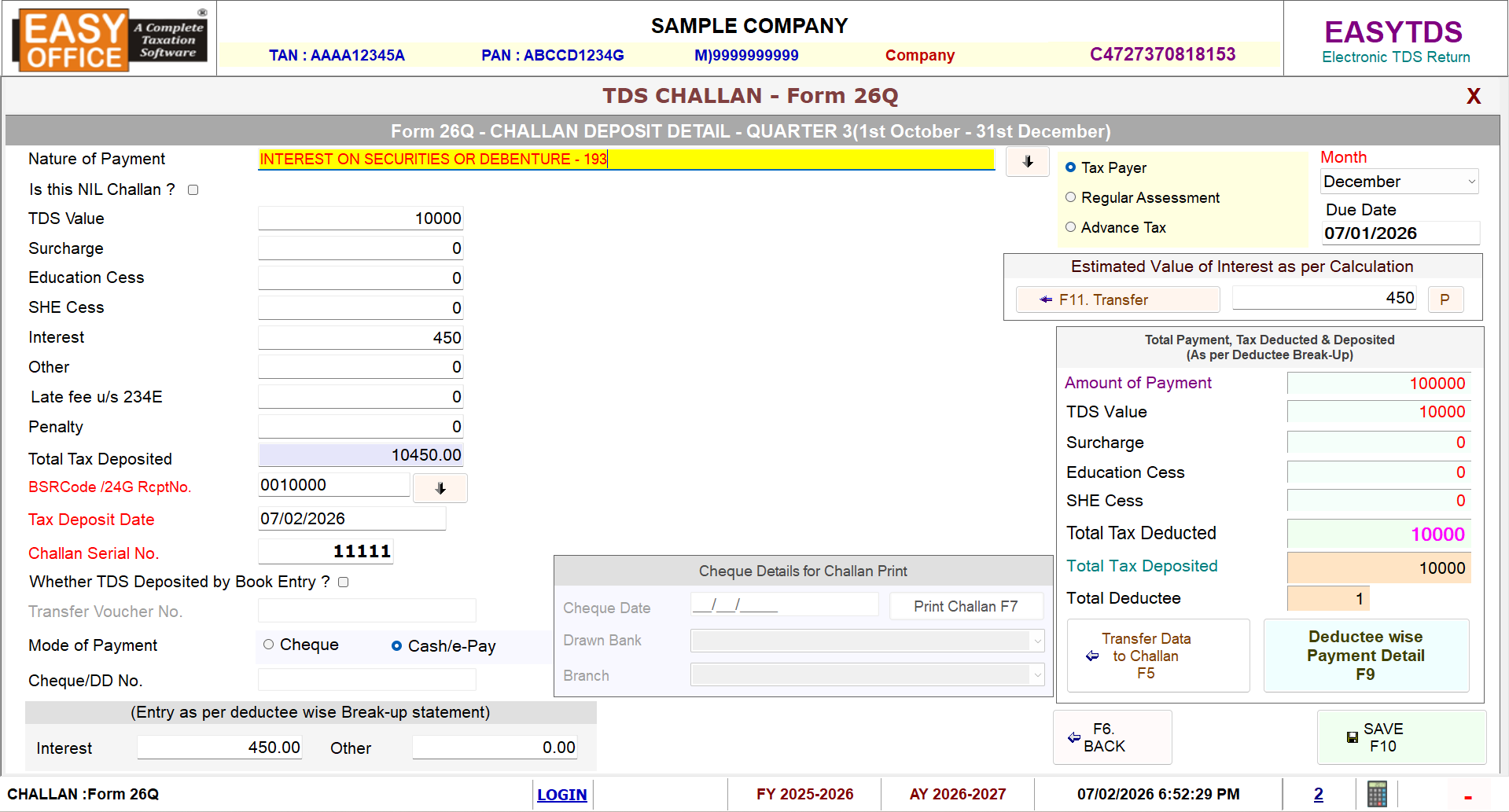
Use the Challan e-payment and online verification feature - Verify All Challan & Verify All PAN to match details instantly with the Income Tax Portal.
Click Here for Detailed EasyTDS Training
Step 5: Add Deductee/Employee Details
Fill in the Deductee break-up information:
>> Name, PAN and Basic details
>> The section under which TDS is deducted
>> Amount paid and tax deducted
>> Date of payment
Use the bulk PAN verification tool to validate multiple PANs at once.
Step 6: Generate and File Return
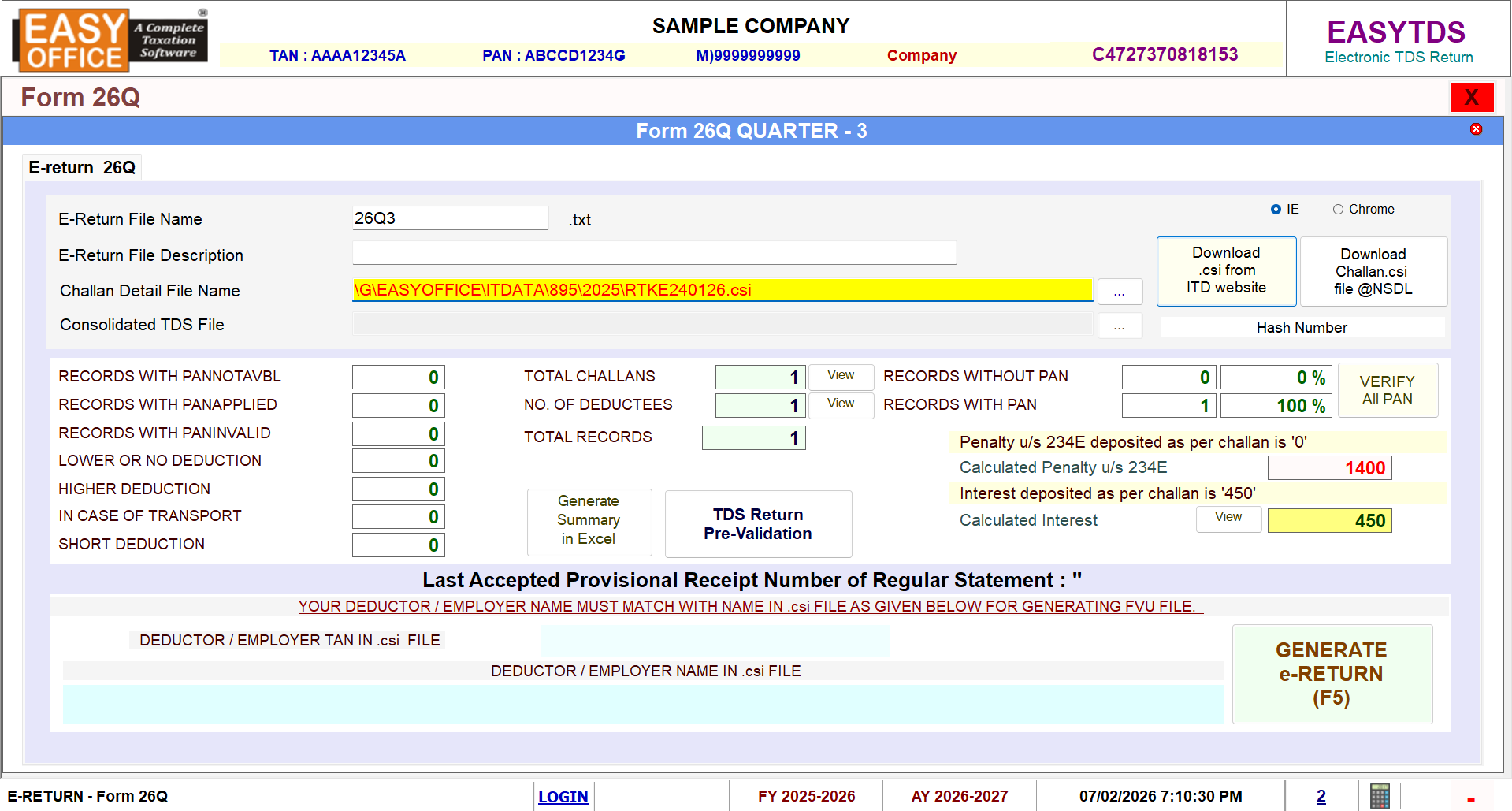
1. Generate the Return & Download CSI file in single click from Download .csi from ITD Website or browse the file if manually downloaded
2. Verify the Counts summary for the data available in Return
3. TDS Return Pre-Validation Option: In-built validation utility of EasyTDS to verify the data against NSDL standards. You can resolve any errors flagged during validation.
4. Once you’ve done with the validation process, Generate e-return
Step 7: Validate and Quick Upload Return
Validate TDS e-return and Upload Return to the Portal directly in a click with QUICK UPLOAD @ ITD Option via OTP or DSC. If required, attach your digital signature.
Step 8: Download TDS Certificates
Post-upload, Request Form 16, 16A, and 27D through Online Tool and Download Certificates. Certificates will be auto generated in selected location. You can sign them digitally and email directly through the software.
Step 9: Generate Reports & Analytics
Use EasyTDS to generate audit-ready reports:
>> TDS Register
>> Challan Register
>> Deductee-wise reports
>> Certificate register
>> Unconsumed challan report
Features That Make EasyOFFICE-TDS Module Stand Out
(i) Pre-validation & Default Prediction: The Software detects issues before submission to lessen the chances of default notices.
(ii) Interest and Late Fee Auto Calculation: This automation saves time and offers accuracy.
(iii) 15G/15H Uploads: You can upload the declaration forms directly to the portal.
(iv) Form 26QB Payments: It supports e-payment and validation of 26QB challans.
(v) Monthly Salary & TDS Calculation: Offers accurate payroll management.
(vi) Compliance Check for Sections 206AB & 206CCA: Automatically applies higher TDS rate where applicable.
(vii) Challan and PAN verification in a click for Return accuracy
Final Thoughts
Saving time and reducing errors should be our priority in this digital-first tax ecosystem. EasyTDS module from EasyOffice Software empowers all the tax professionals to work smarter. With the simple user interface, automation, and compliance, this software is the best TDS return filing software for seasoned professionals like you.
Buy now the affordable, efficient, and highly accurate EasyTDS from our website and go easy with TDS complexities.
Related Blogs

All in one Software
- Income Tax Software
- TDS & TCS Software
- Audit e-filing Software
- CMA Data Software






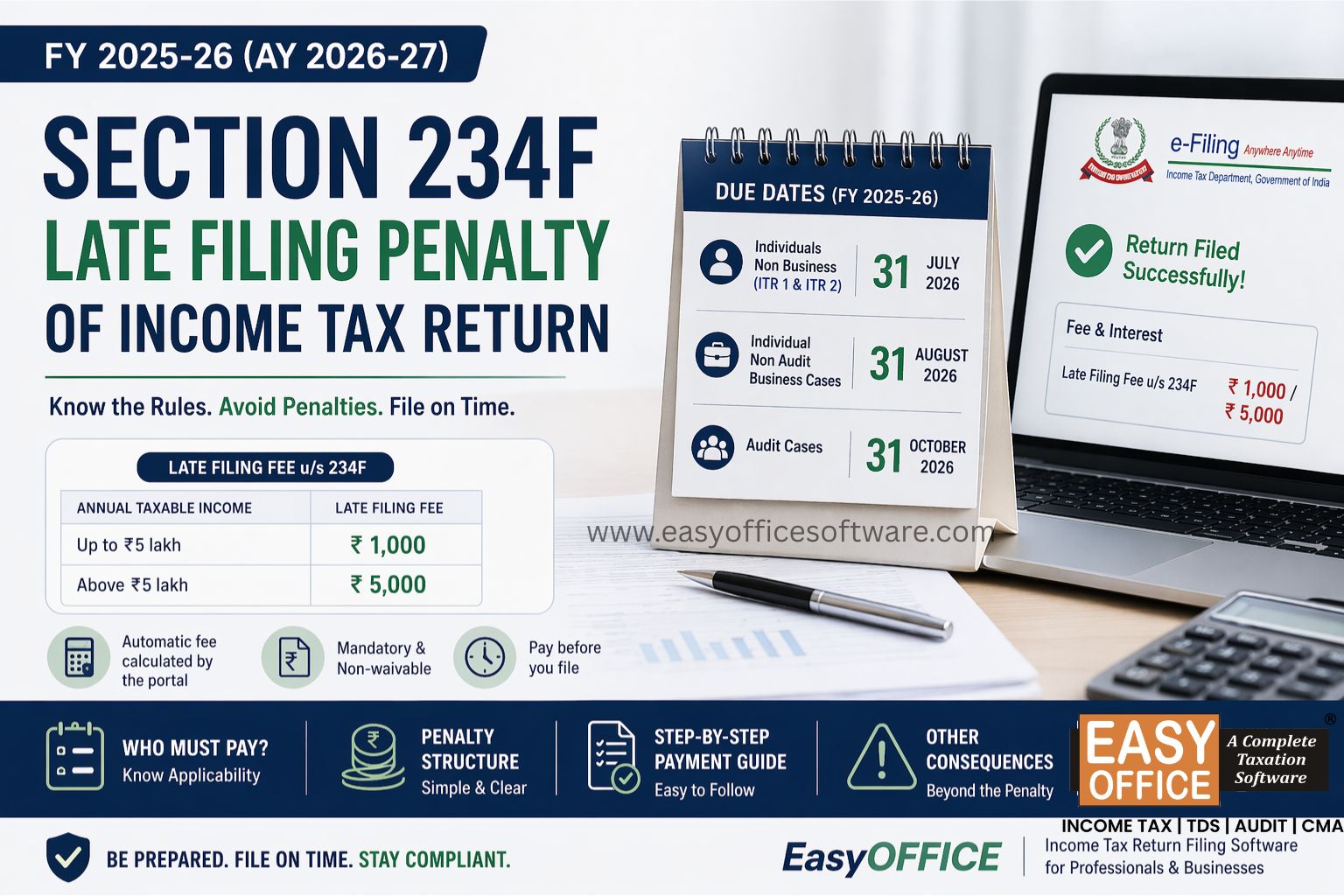
Penalty for Late Filing of Income Tax Return for FY 2025-26 – Section 234F of Income Tax Act 1961
#ITR